On this page
Most people don't need a file manager on their iPhone until the day they can't find a boarding pass, a signed contract or a PDF someone AirDropped them last week. Then the question is which app to get.
The honest answer: start with the one Apple already gave you, and add another app only for the job it can't do. This guide covers four apps and what each is actually for.
The short version
| App | Best for | Price |
|---|---|---|
| Files (Apple) | Browsing iCloud Drive, On My iPhone and cloud services | Free, built in |
| Documents by Readdle | Opening ZIP files, playing media, working with PDFs | Free, with a paid Plus subscription |
| FE File Explorer | Network drives: NAS, SMB and FTP | Free, with a paid upgrade |
| DropMate | Catching new files from Downloads, AirDrop and Mail, and sorting them | Free for 20 files, then $2.99 a month |
Prices change and vary by country, so check the App Store before you pay for anything.
1. Files, by Apple
Best for: everyone, as the starting point.
The Files app is already on your iPhone, and it is a real file manager. It shows iCloud Drive, On My iPhone, USB drives and SD cards you plug in, and cloud services like Google Drive, Dropbox and OneDrive once you install their apps and turn them on under Browse › ⋯ › Edit.
What it does well:
- Folders, tags, favourites and sorting by name, date, size or kind.
- Previews for PDFs, images, Office files and more, without opening another app.
- Compressing a folder to ZIP, and unzipping ZIP files.
- Connecting to a server with ⋯ › Connect to Server.
Where it falls short:
- Files arrive from too many places. Safari saves to Downloads, AirDrop photos go to Photos, Mail attachments stay in the email. Files shows you folders; it doesn't tell you what's new.
- Nothing gets tidied unless you do it. The Downloads folder only grows.
If you mostly know where your files are and just need to open them, Files is enough.
2. Documents by Readdle
Best for: people who handle a lot of media, archives and PDFs.
Documents is one of the oldest file managers on iOS and still one of the most complete. It connects to cloud and network storage, opens ZIP and RAR archives, plays audio and video, and has a built-in browser for downloading files directly into the app.
The paid Documents Plus subscription adds PDF editing and signing, and a VPN. It's free to start, and you only pay if you need those extras.
The trade-off is that Documents keeps files in its own storage by default, so you end up with two places to look: Files and Documents. It is a powerful app with a lot of screens, which suits some people more than others.
3. FE File Explorer
Best for: anyone with a NAS, a home server or files on a work network.
FE File Explorer is built around network connections: SMB shares, FTP, NAS drives and computers on your Wi-Fi. It can stream video and music from those drives without copying them to your phone first.
If you don't have a network drive, you won't get much from it that Files doesn't already do.
4. DropMate
Best for: people whose problem isn't browsing files but finding new ones.
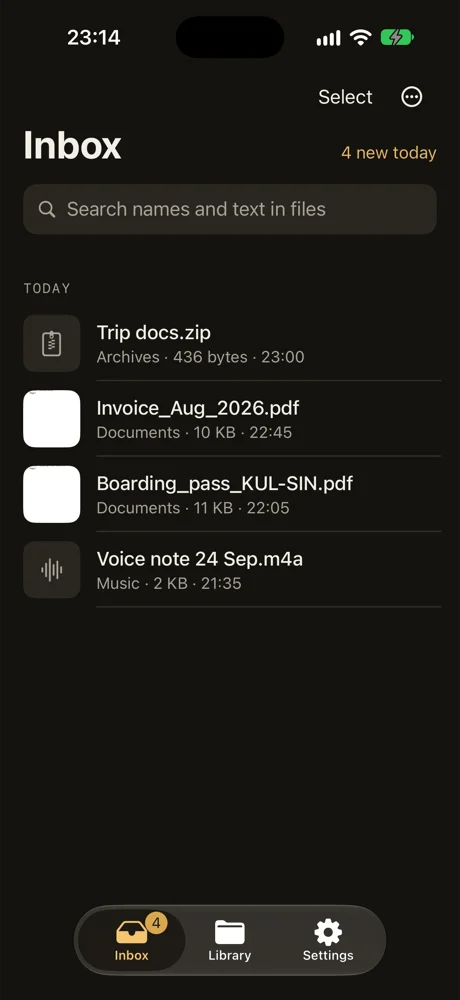
DropMate works differently from the apps above. Instead of showing you folders, it shows you an inbox of files that just landed on your iPhone:
- Files you share to it from any app, including Mail and WhatsApp.
- Files you AirDrop and send to DropMate.
- New files in a folder it watches, like Safari's Downloads.
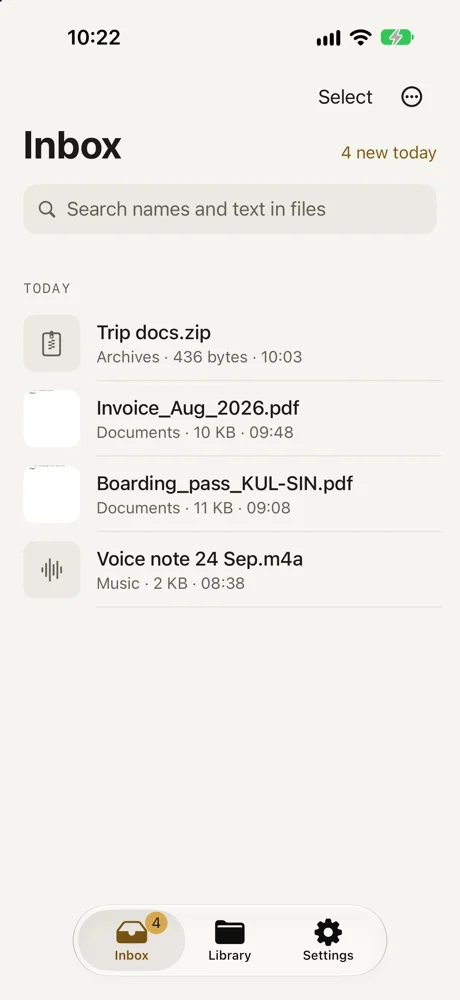
For each file you swipe left and choose Keep or Delete. DropMate suggests a folder from the file's name and the text inside it, like Travel or Receipts, and kept files move into real folders in the Files app. Nothing stays locked inside DropMate, and every move can be undone.
With Pro, you can search the text inside PDFs, screenshots and Office files. The text is read on your iPhone with Apple's built-in text recognition, and files are never uploaded.
DropMate isn't trying to replace Files. It sits in front of it, so new files end up in the right folder instead of piling up in Downloads.
Which one should you get?
- You just need to open and organise files: stick with Files.
- You unzip archives, watch downloaded videos or edit PDFs a lot: add Documents by Readdle.
- Your files live on a NAS or server: add FE File Explorer.
- You lose track of files that arrive from Safari, AirDrop and Mail: add DropMate.
These aren't either-or choices. Many people use Files every day and keep one specialist app for the one thing Files doesn't do.
Common questions
Do I need a file manager app on iPhone?
Not always. Apple's Files app handles folders, iCloud Drive, cloud services, ZIP files and USB drives. Add another app only for something Files doesn't do well, like a NAS connection or keeping track of new files.
What is the best free file manager for iPhone?
The Files app, which is free and already installed. Documents by Readdle and FE File Explorer are also free to start, with paid upgrades. DropMate is free for your first 20 files.
Do file manager apps upload my files?
It depends on the app. Some keep files only on your iPhone, others sync to their own cloud. Check the App Store privacy label before you install. DropMate never uploads your files, and reads the text inside them on your iPhone.
Can a file manager app open RAR files on iPhone?
The Files app opens ZIP files but not RAR. Documents by Readdle can open both.