
On this page
Someone AirDrops you a file, you tap Accept, and then it's gone. Unlike a Mac, an iPhone has no single AirDrop folder. Where the file ends up depends on what kind of file it is.
Where each type of file goes
| What you received | Where it goes |
|---|---|
| Photos and videos | The Photos app, in your library and Recents |
| Contacts | The Contacts app |
| Web links | Opens in Safari |
| PDFs, documents and other files | The app you pick, or the Files app |
Finding AirDropped photos and videos
They go straight into Photos, sorted by the date they were *taken*, not the date you received them. So an old photo someone sent you today may be far up your library.
To find it:
- Open Photos.
- Search for the sender's name if their photos are tagged, or scroll to the date the photo was taken.
- Or open Collections › Recently Saved, if your version of Photos shows it.
Finding AirDropped PDFs and documents
For files that aren't photos, your iPhone either opens them in a matching app or asks you which app to use. If you choose Files, or the iPhone saves it there for you, the file usually lands in the Downloads folder.
To find it:
- Open the Files app.
- Tap Recents at the bottom. Files you received recently are often at the top.
- If it's not there, tap Browse, then iCloud Drive or On My iPhone, and open Downloads.
- Still nothing? Pull down to search, and type part of the file name.
If you picked another app when you accepted, like Books for a PDF, the file is inside that app instead. Open it from there and use the share button, then Save to Files, to keep a copy in Files.
Why AirDrop files feel like they disappear
Three things work against you:
- No AirDrop history. iPhone doesn't keep a list of what you received.
- Different destinations. Photos go one way, documents another, and the choice of app is made in a split second when you tap Accept.
- Downloads is a mix. AirDropped files sit next to everything you downloaded in Safari, with nothing to tell them apart.
How to stop losing AirDropped files
Rename it straight away
Move it into a folder
Long-press, tap Move, and put it somewhere you'll look: Travel, Receipts, Work. Downloads isn't a filing system.
Send AirDrops to one inbox
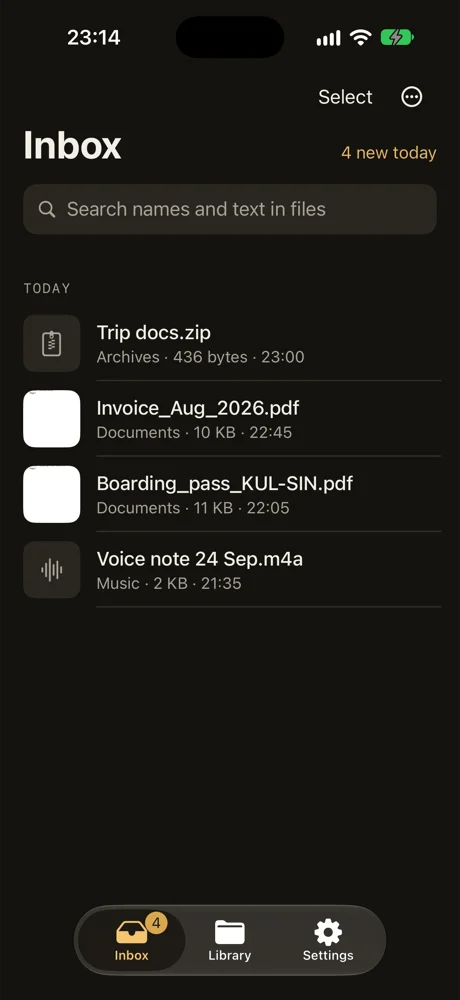
When you accept a file, you can choose which app opens it. Pick DropMate, and the file goes into one inbox together with your Safari downloads and the files you share from Mail and WhatsApp. Swipe left to keep it in the folder DropMate suggests, like Travel, or delete it. Kept files move into real folders in the Files app.
If AirDrop isn't working at all
- Make sure AirDrop is on in Control Center. Long-press the network tile to see it.
- Under Settings › General › AirDrop, choose Contacts Only or Everyone for 10 Minutes.
- Keep both phones unlocked and close together, with Wi-Fi and Bluetooth on.
- Newer iOS versions may ask for a code when someone not in your contacts sends you a file. Check with the sender.
Common questions
Is there an AirDrop folder on iPhone?
No. Unlike a Mac, an iPhone has no AirDrop folder. Photos and videos go to Photos, and other files go to the app you pick when you accept, or to the Files app.
Can I see my AirDrop history on iPhone?
No. iPhone doesn't keep a list of the files you received by AirDrop. Look in Photos for pictures, and in Recents in the Files app for documents.
Why did my AirDropped PDF open in Books?
When you accept a file, iPhone may open it in a matching app. If it opened in Books, the PDF is in your Books library. Open it there, tap the share button and choose Save to Files to keep a copy in Files.