
DropMate: File Manager
Find any file on your iPhone.
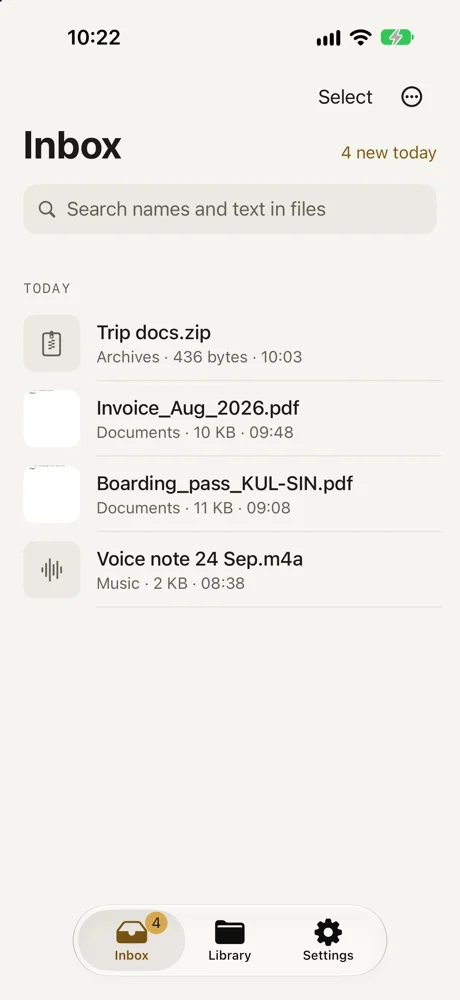
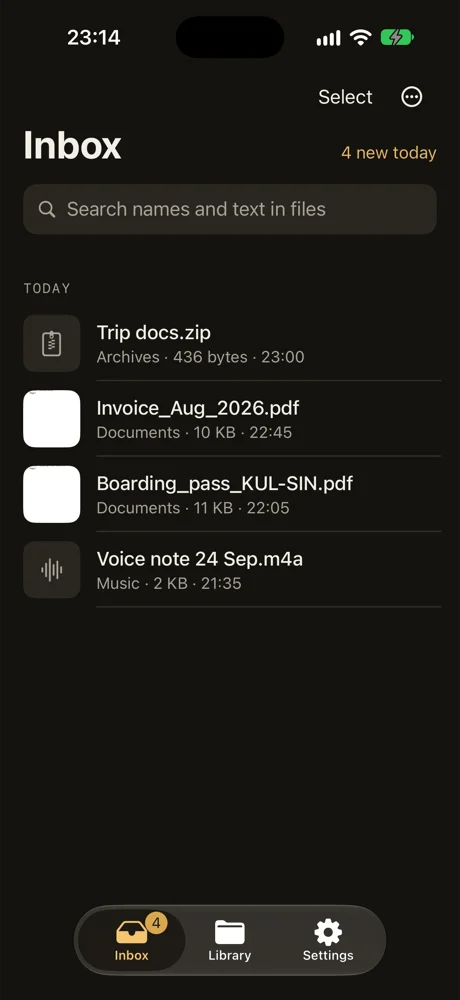
Downloads, AirDrop and Mail files land in one inbox. Keep them in the right folder, search the words inside them, and clear the rest.

Free for your first 20 files. No account. Files never leave your iPhone.
The problem
Files end up in five different places.
A boarding pass in a Mail thread. An invoice somewhere in Downloads. A photo someone AirDropped last week. When you need one of them, you search three apps and still can't find it.
- Boarding_pass.pdf
Stuck in a Mail thread
- Invoice_Aug.pdf
Buried in Downloads
- IMG_4021.jpg
Lost after an AirDrop
How it works
Everything lands in one inbox
Share a file to DropMate, AirDrop it, or let DropMate watch your Downloads folder. New files show up in one list.
Keep it or delete it
Swipe left on a file. DropMate suggests a folder based on the file's name and text, like Travel or Receipts. Tap Keep, or Delete. It learns from what you pick.
It ends up in the Files app
Kept files move into real folders in iCloud Drive or On My iPhone. Nothing is locked inside DropMate, and you can undo any move.
What else it does
Search inside filesPRO
Type a word and find it inside PDFs, screenshots and Office files. The text is read on your iPhone, not on a server.
Watches Downloads
DropMate checks your Downloads folder, or any folder you choose, and shows new files in the inbox.
Scan and PDF tools
Scan paper into a PDF. Merge, split, rotate, sign or add a password.
Your own rulesPRO
Send new files to a folder automatically, by name or type.
Clear out
See the biggest files and the ones you haven't opened in 30 days. Delete them in one go.
Undo
Every move can be undone. Deleted files stay in Recently Deleted for 30 days.
Pricing
Free for 20 files. $2.99 a month after that.
Free
$0
- First 20 files
- Inbox, Share Sheet and AirDrop
- One watched folder
- Folder suggestions
- Search by file name
- Scan and PDF tools
Pro
$2.99/ month
or $29.99 a year
- No file limit
- Search inside files
- Your own sorting rules
- More watched folders
Prices are in US dollars. The App Store shows your local price. Cancel any time in Settings.
Your files stay on your iPhone
- Files are never uploaded.
- Text inside files is read on your iPhone.
- No ads and no tracking.
- Anonymous usage data and crash reports help fix bugs. You can turn them off with one switch in Settings.
Who makes DropMate
I'm Lahiru, an independent iOS developer in Malaysia. I built DropMate because I could never find the PDF someone sent me last week. If something is broken or missing, email me. I read every message.
ContactTry it with your next download.
Free for your first 20 files. iOS 17.6 or later.